Can I read my child’s Moto G Play text messages using a smartphone? How can I track my daughter’s Motorola Edge without her knowledge? My monitoring software can help you solve this problem. Our parental tool is a monitoring application compatible with all Motorola G, E, Edge, and Razr series smartphones. It offers many basic and advanced features. It takes only a few minutes to start monitoring after registration.
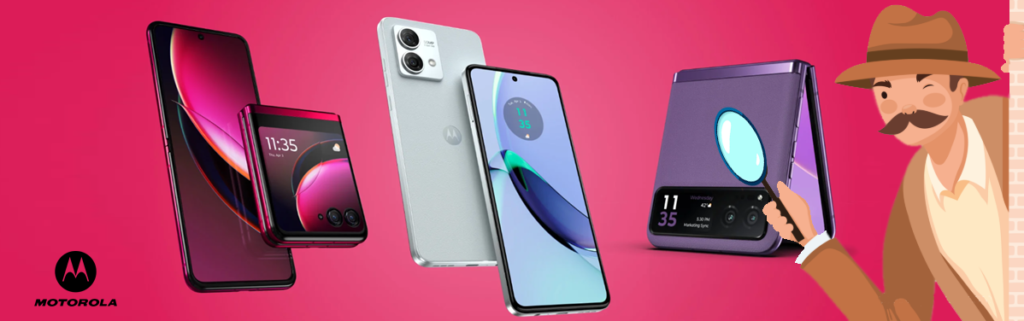
3 Reasons to Monitor a Motorola Phone
Protect Your Children
Smartphones unknowingly drag children into a quagmire—gaming addiction and exposure to pornographic and violent content pose serious threats to their mental and emotional development. Without proper oversight, children may spend hours glued to screens, neglecting homework and social interactions. Fortunately, monitoring software offers a perfect solution for concerned parents. It allows you to set screen time limits, block inappropriate websites, and receive alerts about suspicious activities, so you can guide your children safely through the digital world.
Protect Your Business
Many companies purchase Motorola phones as work devices for their employees. By installing this app on the phones, you no longer have to worry about employees slacking off. And if anyone leaks your company’s trade secrets, you can catch them red-handed. The app also provides detailed logs of app usage and time spent on non-work activities, helping you identify inefficiencies. Such transparency not only boosts productivity but also discourages misconduct, as employees know their actions are tracked. With real-time location tracking, you can ensure field staff are at their designated posts during work hours.
Prevent Spousal Infidelity
Can you bear the thought of your loved one carrying on a long-term ambiguous relationship with someone else behind your back? Such doubts can eat away at your peace of mind and destroy trust over time. Instead of living in constant suspicion, take proactive steps to verify the truth. Well, with just a little effort, technology can also help you prevent tragedy. You should nip infidelity in the bud—and starting with their phone is absolutely the right move. By monitoring call logs, messages, and location history, you can uncover hidden patterns and confront issues early, saving your relationship from painful heartbreak.
Best Monitoring app for Motorola Phones
What is the best app for monitoring your child’s Motorola phone? Well, you’re probably looking for a way to remotely monitor their phones without their knowing — even on the latest Moto G Power 2026, Moto G Play 2026, Motorola Edge 2026, and Motorola Razr 2026. Here, Motorola monitoring app is the best choice to handle these tasks.
You can:
- Review all incoming/outgoing IMs, texts, and emails;
- View web browsing history;
- Review pics on the monitored cell phone;
- Track a cell phone even when traditional GPS fails;
- And more. As long as there is a good network connection, you can keep track of everything they do.
Features of Motorola Monitoring App
Motorola Monitoring App offers more than 30 features for mobile phones. The features are further subdivided into two categories, Basic and premium, based on the pricing plans. The features are discussed in detail below:
Phone calls and text messages:
Using this parental control app, you can view phone calls log of any Motorola mobile device with own phone. You can view all their incoming, outgoing, and missed calls. Motorola monitoring app automatically records all the calls for you with a premium version. You can also read all the text messages that have been sent/received on the mobile phone.
Social media monitoring:
Motorola monitoring app basic version allows you to access WhatsApp photos, Viber photos, and Instagram pictures that have been sent/received on the mobile. However, Motorola Monitoring App premium version allows you access all the calls, chats, and photos shared on the social media sites, like WhatsApp, Viber, Skype, Facebook, Line, Kik, Instagram, and Tinder without rooting the device.
Internet and Emails:
It gives you access to the internet browsing history and Email app on the Motorola phones.
Installed Apps
Manage your child’s screen time by blocking or unblocking their Motorola phone apps with a single tap.
Track GPS location:
Monitor Whereabouts With The Best Motorola monitoring software to track kids’ location. Stay updated on your kid’s every move with Motorola monitoring app’s real-time tracking and instant alerts.
Multimedia files:
You can view all the photos and videos that are stored on a Motorola phone.
Keylogger:
All the keystrokes from WhatsApp, Skype, Viber, Facebook, and Facebook Messenger are recorded.
Wi-Fi Networks logs:
You can get a log of all Wi-Fi connections that their Motorola Android device has connected to, along time, date, and location stamps for every saved Wi-Fi.
Remote controls:
You can remotely control Motorola mobile to wipe off all the data, lock the phone or take live screenshots, set preferences on uploading data (like Wi-Fi only to avoid mobile data consumption) on your target Motorola phone.
Instant alerts:
Instant alerts are generated whenever an email is sent/received from a specific email address. This parental control app also sends instant alerts on watchlisted words, phone numbers, and places.
Misc. features:
It facilitates you with a web-based control panel, free updates, and 100% undetectable mode.
Isn’t that amazing? You are getting so many features from Motorola Monitoring Software. Well, if you are willing to monitor a new Motorola smartphone, use this tracking app and start tracking and find the real truth.
Supported Devices
Our software supports all Motorola phones, including Motorola Edge series, Motorola Razr series, Moto G series phones. Such as Moot G Play, Moto g Power, Moto G Stylus, Motorola edge, Motorola razr ultra, etc.
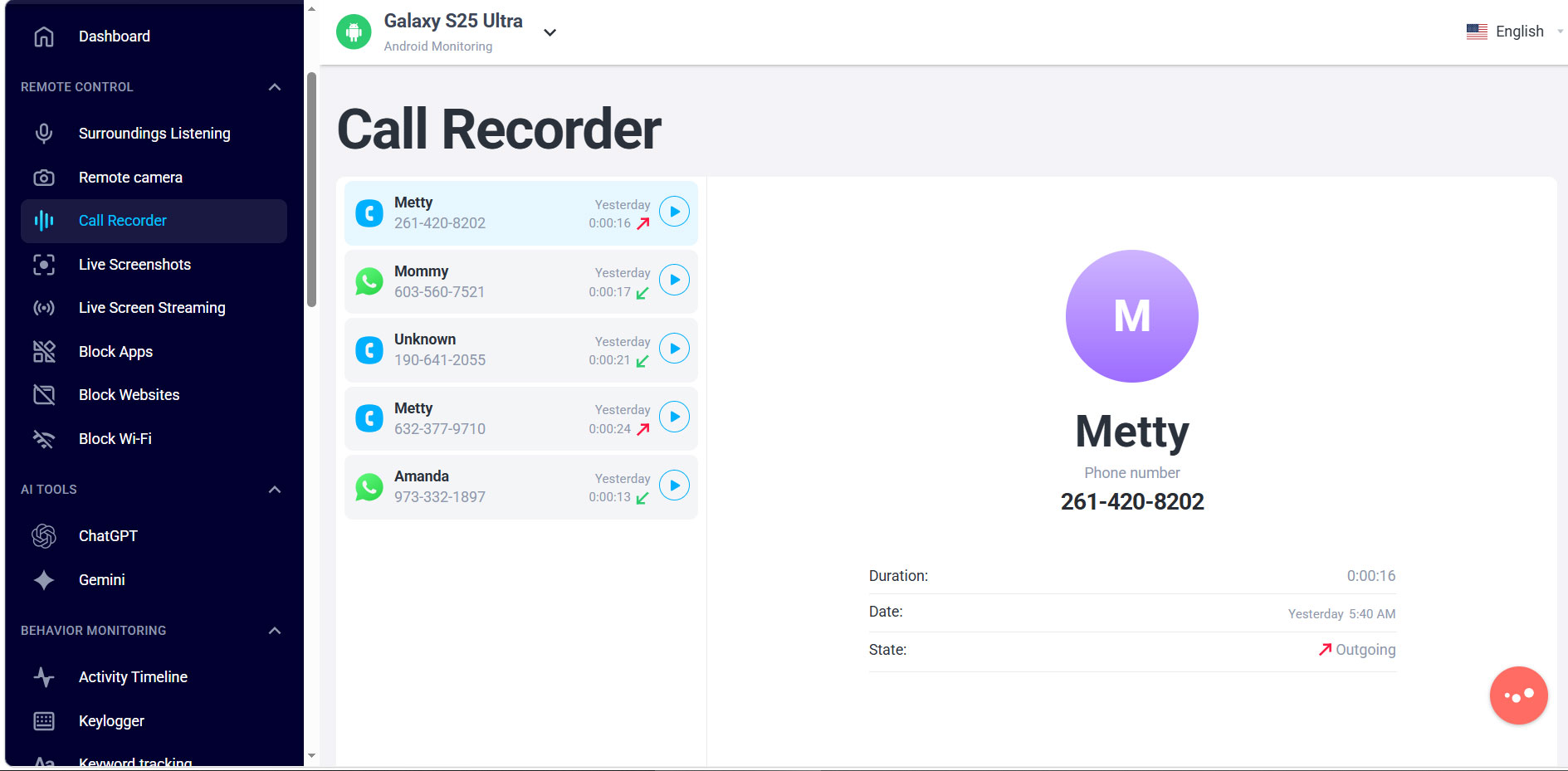
How to monitor a Motorola phone with it?
Motorola Monitorign App works smoothly across all Motorola models. You just need to follow a few simple steps to prepare your device for our application. By completing these steps, you’ll ensure it functions properly and gain access to all the features available on our tracking app.
Supported Device:
1. Sign-Up
First you need to sign up for Motorola monitoring service by selecting the pricing plan that best suits your needs.
2. Connect with Target device
For all Motorola Android phones, you need to install this parental control app on target device which takes just few minutes and becomes hidden after installation.
3. Start Monitoring
Log into your control panel and start monitoring all device activities like sms, calls, location, facebook, whatsapp etc.
Tip: Which parental control app you choose depends on the target phone’s operating system — not the one on your own device. The app I’m sharing has been thoroughly tested by me in real-world use over an extended period. Its security and stability are highly dependable, so you can purchase and use it with confidence.