
Want to find someone’s phone location? This guide covers three distinct ways – using reverse lookup, free Google/Apple location sharing, smartphone monitoring softwre and phone number tracker apps. Each method works on a totally different principle, so read on to learn exactly how they compare and which one suits your needs.
Ever tried to figure out where someone is, armed with nothing but their phone number? Maybe it‘s a worried parent, a curious friend, or just someone trying to spot a scammer. I’ve been there too – and the internet is full of promises that sound too good to be true.
So let‘s cut through the noise. In this guide, I’ll walk you through three actual ways people use to locate a phone by its number. Each one works on a totally different principle, and trust me, not all of them deliver what they claim.
You‘ve probably heard of Truecaller. You type in a number, and boom – you get a name, maybe a photo, and some spam tags. Sounds handy, right?
But here’s the honest truth: this is not location tracking. Not even close.
What you actually get from a reverse lookup:
The caller's name (if it's in public directories or crowdsourced)
The general region where the SIM card was registered (often just a city or state)
The mobile carrier (e.g., Verizon, AT&T)
Spam/fraud warnings from other users
Notice anything missing? GPS coordinates. Real-time movement. A dot on a map. None of that exists here. Truecaller themselves will tell you they only show the registered location of the number, not where the person is standing right now.
If you're hoping to find a lost teenager or track a cheating partner, this method will leave you disappointed. It's essentially a digital phonebook – useful to identify unknown callers, useless for finding anyone in real life.
Now we're getting warmer. Both Google and Apple offer completely free location-sharing features – but there's a catch you can't ignore.
| Platform | Service Name | What It Does |
|---|---|---|
| Apple | Find My (formerly Find My iPhone) | Shares real-time location via iCloud (Apple devices only) |
| Google Maps Location Sharing / Find My Device | Shares location across Android and iOS |
Here's how it works: the person you want to track must deliberately turn on location sharing and share it with you – usually via a link or an invite. Once that's done, you can see their live position on a map, for free, with no extra apps.
Sounds perfect? Well, it only works as long as they keep sharing. The moment they switch off the setting, or put their phone in airplane mode, you lose access instantly. No warning, no workaround.
So yes, it's great for families who trust each other and voluntarily check in. But if the other person hasn't opted in – or decides to opt out – this method gives you absolutely nothing.
Now we're getting into more powerful territory. Apps like mSpy are designed specifically for phone tracking, and they offer not one but two distinct ways to locate a device using its number.
mSpy's number tracker works by leveraging a social engineering strategy – it doesn‘t hack into the phone or access carrier data.
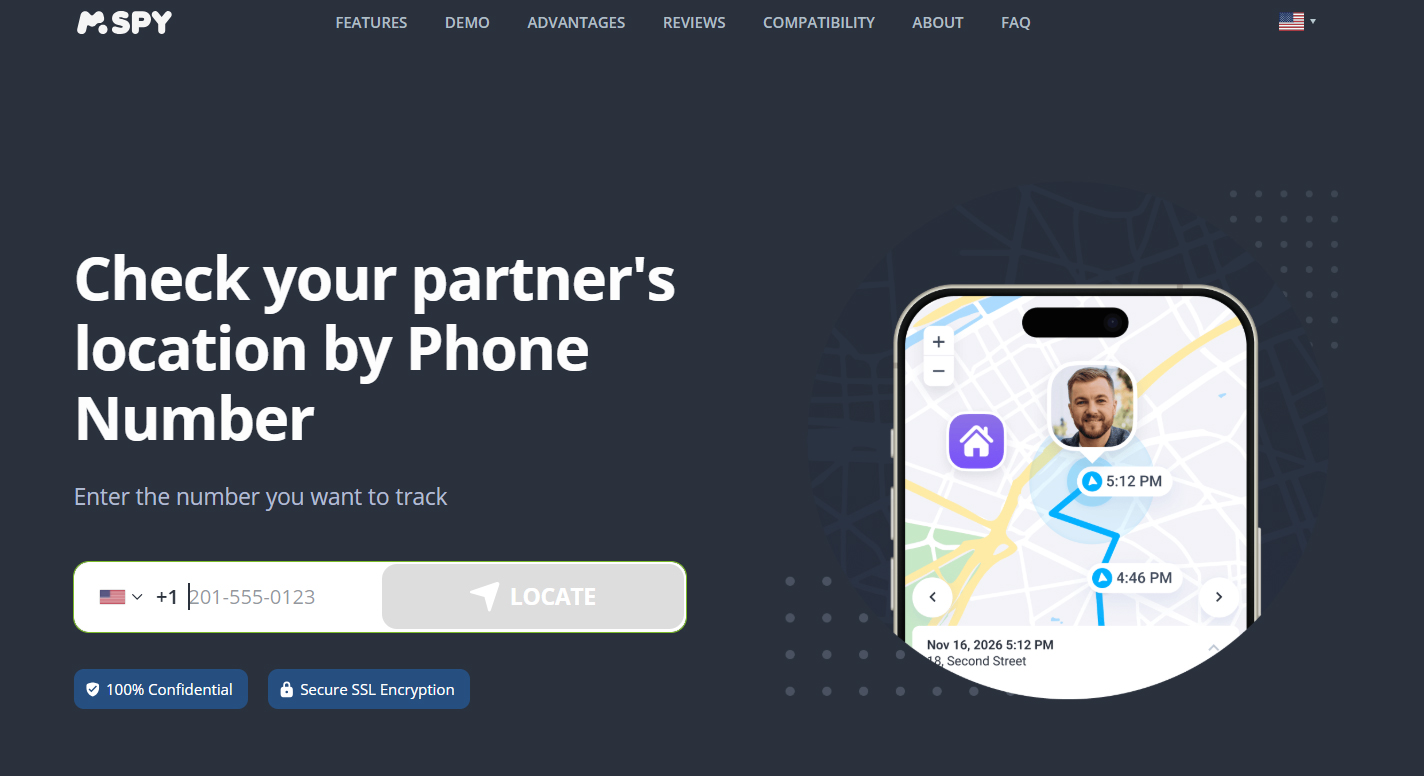
Here’s the actual process:
Step 1 – Enter the Number
You type the target phone number into the mSpy platform and compose a text message. The system suggests keeping the message natural – something that doesn‘t raise suspicion – to increase the chances of the recipient clicking the link.
Step 2 – The Link is Sent
mSpy sends an anonymous SMS to that number, containing a special tracking link. The link is usually disguised as something innocent – like “Someone shared a photo with you” or “Check your delivery status.”
Step 3 – The Wait for a Click
This is the make-or-break moment. The location data only comes through if the recipient actually taps that link. mSpy’s official guidance suggests you can send up to 4 follow-up messages with different content if the person doesn‘t click within 3 hours. But the bottom line is: no click, no location.
Step 4 – Permission Request
Once the recipient clicks the link, their mobile browser pops up a location permission request. Only when they hit “Allow” does mSpy receive the GPS coordinates.
Step 5 – Location Revealed
After permission is granted, the location shows up on your mSpy dashboard. However, this is a one-time snapshot, not ongoing real-time tracking.
The Truth About This Method
No app installation is required on the target device – that part is true.
It relies entirely on the recipient’s action. If they don‘t click, or they deny location access, you get nothing.
It’s a one-time fix – you only get the location at the exact moment they click, with no continuous updates.
It‘s not “hacking” – it’s social engineering. The phone number serves as an account identifier, not a technical entry point into the device.
Note: This method ticks the box for finding someone’s location by phone number. It could actually come in handy in specific real-life situations for the phone owner and their loved ones—though let’s be honest, some of those scenarios only happen in Hollywood films.
If you‘re willing to install mSpy on the target phone (which takes about 10–15 minutes and physical access to the device), you unlock the full arsenal:
Real-time GPS tracking with updates every few minutes
Location history – you can see where the phone has been over the past days or weeks
Geofencing – get an alert the moment the phone enters or leaves a certain area
Stealth mode – the app runs invisibly; the user won’t know it‘s there
It works on both Android and iOS, and the level of detail is night and day compared to the number-only option.
How to Use mSpy to Locate Someone’s Phone
Using a parental control app to track a phone comes down to two key factors: gaining physical access to the target device (for Android or iOS installation) or having the iCloud credentials (for iOS devices only).
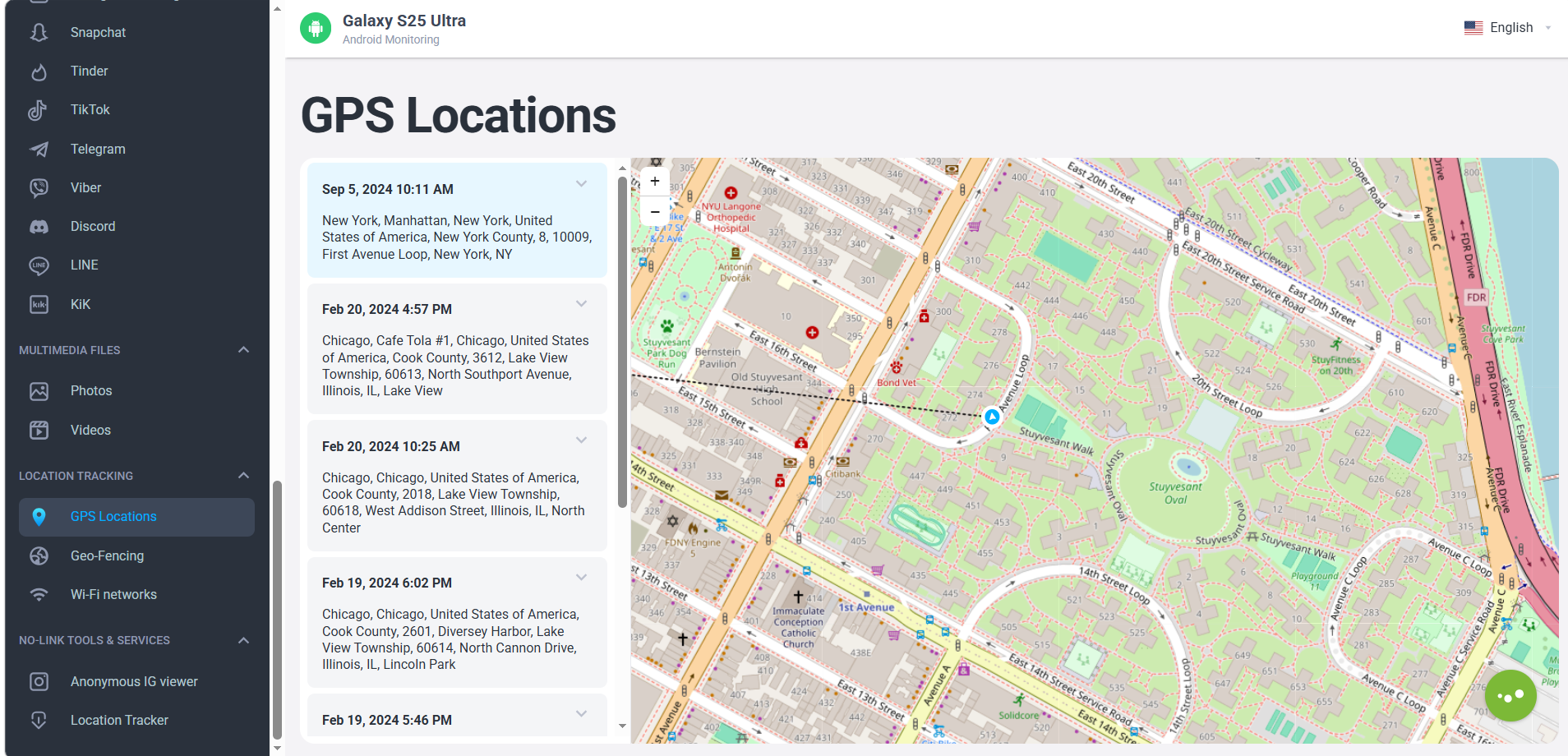
The approach you take depends on the target phone’s operating system. Here’s how each method works.
This is the most powerful option. It gives you real-time GPS tracking, location history, and geofencing alerts. However, it requires one-time physical access to the target phone for about 10–15 minutes to complete the installation.
Step-by-step process:
Sign up and subscribe – Click the "Try Now" button above to visit the official mSpy website, create an account, and choose a subscription plan that fits your needs.
Get the installation file – Log in to your mSpy dashboard and obtain the download link or installation file specifically for the target device (Galasy S26, OnePlus 15, Motorola Edge, Google Pixel 10a, Galaxy A57, etc).
Install the app – On the target phone, open the link via the browser or install the downloaded file, then follow the on-screen prompts to complete the installation.
Grant permissions (critical step) – This is where most setups succeed or fail.
For Android: You must enable “Install from unknown sources” in the system settings, then grant all requested permissions, including Location, Device Administrator, and others. Crucially, set the location permission to “Allow all the time” and disable battery optimization for the app to prevent the system from putting it to sleep.
For iOS: During the configuration profile installation, you’ll need to grant location permissions as well.
Hide the app (optional) – Most monitoring apps, including mSpy, offer a stealth mode that hides the app icon from the target device’s home screen, making it invisible to the user.
Start tracking – Once everything is set up, log in to your mSpy dashboard (web or app). The live location and historical movement data will appear under the “Location” or “Map” section.
If you cannot physically access the target iPhone (iPhone 18, iPhone 17, iPhone 17e, etc) but know its Apple ID and password, mSpy can pull location data via iCloud synchronization.
How it works and its limitations:
How it works – mSpy uses the provided iCloud credentials to remotely sync location data that the target phone backs up to iCloud.
Data source – Even if the phone’s GPS is turned off, this method can infer the device’s frequent locations (e.g., home, office) based on the Wi-Fi networks it has connected to.
Key limitation – Unlike the installed app, iCloud-based tracking is not real-time. Updates are less frequent, and it typically cannot provide a continuous movement history.
Track GPS, Texts, Calls, Emails and Apps with ease – total control in one app.
| Feature | Number-Only Tracker (Option A) | Full Installation (Option B) |
|---|---|---|
| Install app on target? | ❌ No | ✅ Yes (one time) |
| Real-time GPS? | ❌ No – one-time snapshot only | ✅ Yes, precise and continuous |
| Location history? | ❌ No | ✅ Yes |
| Geofencing alerts? | ❌ No | ✅ Yes |
| Needs physical access to phone? | ❌ No | ✅ Yes (for install) |
| Requires recipient to click a link? | ✅ Yes – critical | ❌ No |
It depends entirely on your situation.
If you just want to identify who‘s calling or see the general area of a number, Truecaller is free and quick – but don’t expect live updates.
If you and your family are already on iOS or Android and trust each other, Google/Apple sharing is the simplest, most reliable free option – as long as everyone keeps sharing.
If you need to track a phone using only its number and you‘re willing to pay, the mSpy number tracker (Option A) can work – but you need to be aware that its success depends on the recipient clicking a link and granting permission. It’s not magic; it‘s persuasion.
But if you need full-scale monitoring – not just location but also messages, calls, social apps, and browsing history – then installing mSpy directly on the device is the only way to go. It’s more intrusive, but it delivers the most comprehensive data.
My personal take: I‘ve tested all three approaches, and honestly, the free services are great for everyday family use, but they break the moment someone turns off sharing. For serious, ongoing tracking, mSpy’s installed version is the clear winner – provided you have the legal right to do so (and as you know, your site‘s footer covers the legal fine print).
That‘s it – three methods, three totally different realities. Now you know exactly what each one can (and can’t) do. Choose wisely, and happy tracking – responsibly, of course.
The Best Parental Control App for Android & iPhone in 2026! Keeping Your Kids Safe Online.
This software is for legal use only. Do not install on devices you do not own; prior owner consent may be required by law. Violations can result in fines or criminal charges. Consult your legal advisor before use. You assume full liability for any installation; we disclaim all responsibility.
Copyright © 2026 parentaltool.com. All Rights Reserved.